Sort BED by CDT

Sort a CDT file and its corresponding BED file by the total score in the CDT file across the specified interval
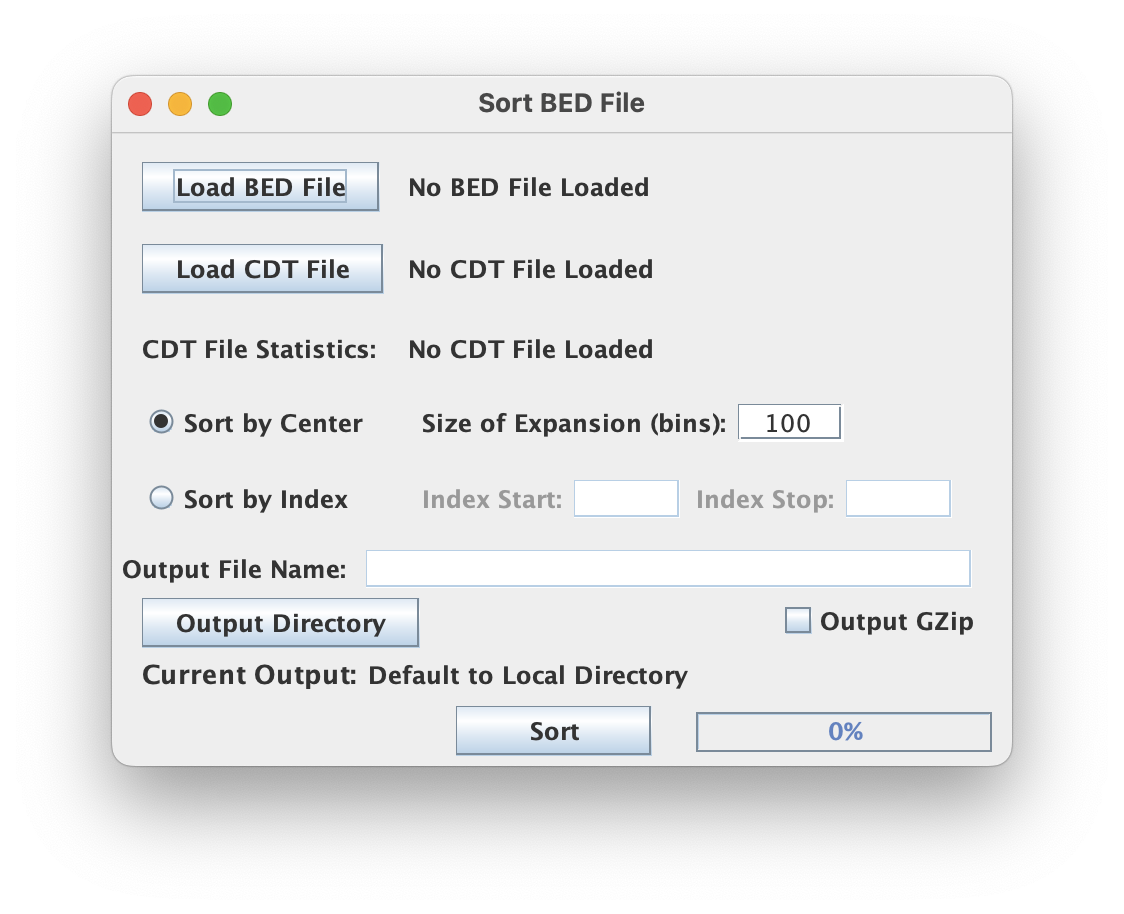
Input files (BED & CDT)
This script processes a single BED-type file and a single CDT-type file. Make sure your .bed input is properly formatted and uses the appropriate .bed extension if you are working from the GUI (.cdt does not restrict files shown by extension).
The coordinate file and the .cdt file are assumed to be linked. This means the first coordinate entry row corresponds to the first row in the .cdt file and will be sorted according to the associated value computed from that first .cdt row. Same for the second row of each file and so on.
CDT File Statistics
The GUI parses the CDT file upon upload and reports the number of entries to help the script check that the number of entries between the CDT and BED match (partial check on the assumption that CDT and BED are linked).
Sort Window
Each row for the linked BED/CDT entries are sorted by the descending sum of values across a user-specified window in the CDT file.
- Sort by Center: The sum taken for each entry is from the middle X columns in the CDT file, if X is the number of entries specified by "Size of Expansion".
- Sort by Index: The sum taken for each entry is across the X to Y positions in each CDT row, if X is the "Index Start" position and Y is the "Index Stop" position. These "Index" positions are 0-indexed starting from the third column (0-index) with the first two columns ignored as row labels.
Output format (BED & CDT)
For each input BED and CDT file, new BED and CDT files are created from a basename derived from the original .bed filename with the _SORT suffix appended (auto-filled when load input BED if no string specified). The user may customize the basename with the editable field. The new BED file is named<basename>.bed suffix while the new CDT file replaces the extension with the <basename>.cdt suffix.
Output GZip
Toggling this allows the user to write output to a compressed file format using a general compression (gzip) which has the added advantage of speeding up the execution time by shrinking the I/O load (esp for large output). The .gz extension will be appended as appropriate.
Command Line Interface
Usage:
java -jar ScriptManager.jar coordinate-manipulation sort-bed [-hV] [-c=<center>]
[-o=<outputBasename>] [-x=<index> <index>]... <bedFile> <cdtReference>
Positional Input
| Input | Description |
|---|---|
<bedFile> | the BED file to sort |
<cdtReference> | the reference CDT file to sort the input by |
Output Options
| Option | Description |
|---|---|
-o, --output=<outputBasename> | specify output file basename (no .cdt/.bed extension, script will add that) |
-z, --gzip | gzip output (default=false) |
Sort Options
These options indicate which windows to sort the files by (choose one).
| Option | Description |
|---|---|
-c, --center=<center> | sort by center on the input size of expansion in bins (default=100) |
-x, --index=<index> <index> | sort by index from the specified start to the specified stop (0-indexed and half-open interval) |
Note that if the value input using the -c flag is odd, it is the equivalent of using that same value minus 1.