Transpose Matrix
Transpose the rows and columns of tab-delimited matrix data.
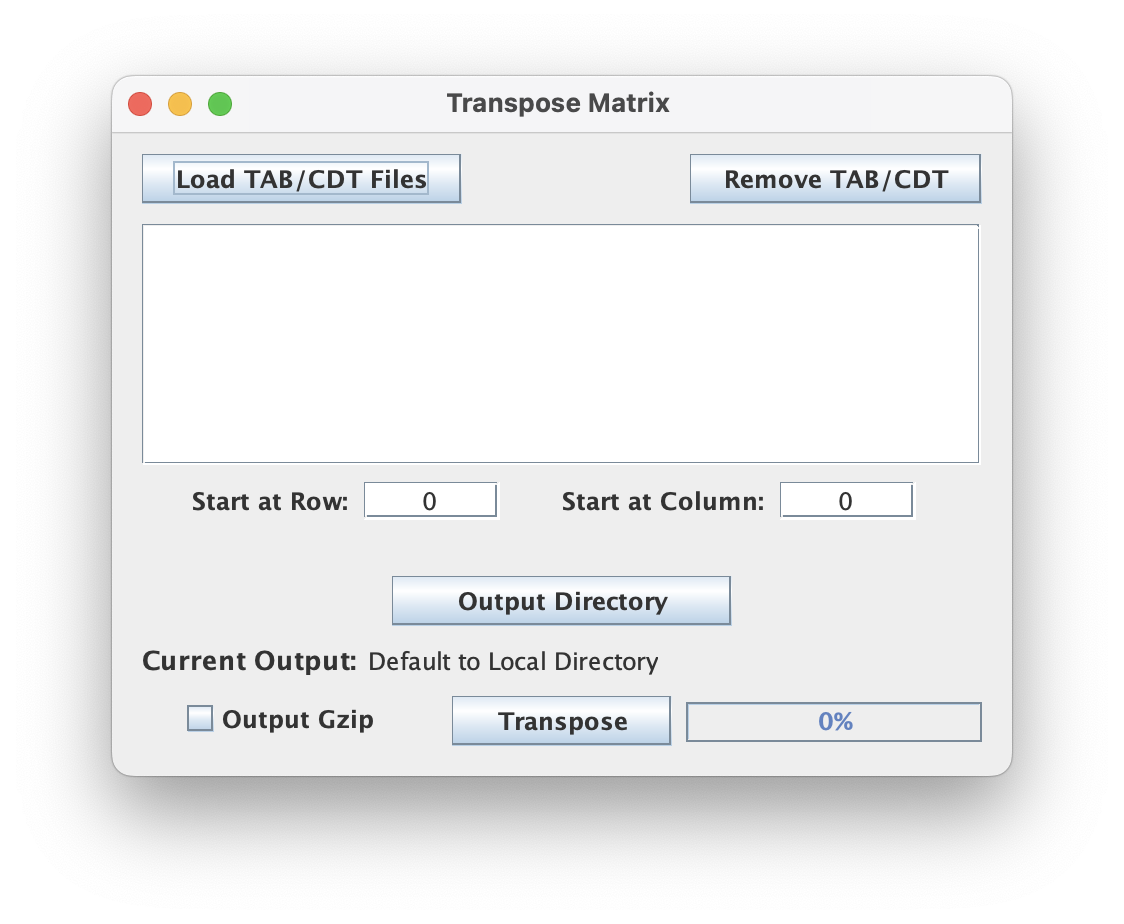
File input (CDT/TAB)
This script does not restrict selection of file inputs because a variety of file extensions may be parsed out for the tab-delimited (numeric) matrix. The tool supports bulk selection and processing of files.
Select Starting Row/Column
These integers indicate the last header columns or row labels. By default they are set to follow CDT format specifications but can be adjusted if you have some other tab-delimited file format with different header starts.
Output
Each matrix file is transposed and written with the _TRANSPOSE suffix appended and an extension that matches the input file's extension. For example, SomeMatrixFile.cdt would be scaled and written to SomeMatrixFile_TRANSPOSE.cdt.
Output GZip
Toggling this allows the user to write output to a compressed file format using a general compression (gzip) which has the added advantage of speeding up the execution time by shrinking the I/O load (esp for large output). The .gz extension will be appended as appropriate.
Command Line Interface
Usage:
java -jar ScriptManager.jar read-analysis transpose-matrix [-hV] [-z] [-l=<startCOL>]
[-o=<output>] [-r=<startROW>] <matrix>
Positional Input
This tool takes a matrix file in TAB/CDT format for input.
Output Options
| Option | Description |
|---|---|
-o, --output=<output> | specify output filename |
-z, --gzip | gzip output (default=false) |
Coord Start Options
| Option | Description |
|---|---|
-r, --start-row | row to start transposing the matrix (zero indexed) |
-l, --start-col | column to start transposing the matrix (zero indexed) |